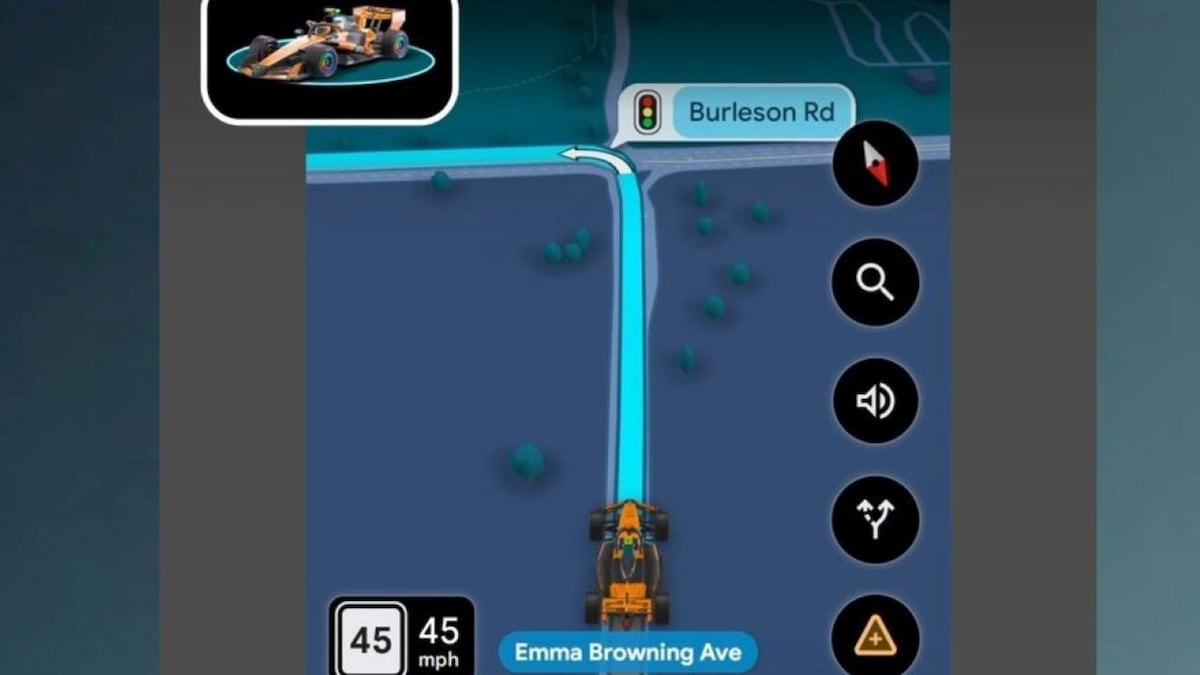
Google Maps is giving Formula 1 fans a new way to personalise their navigation experience with a limited-time McLaren F1 car avatar. Users can replace the standard blue navigation arrow with a miniature racing car featuring McLaren’s signature papaya-orange colour.
\n\nThe feature will be available until November 23 and is part of Google's collaboration with McLaren Racing. In a post on X, Google Maps announced the launch, writing, “Papaya orange, now in Google Maps. The custom @mclarenf1 Racing avatar is officially live for turn-by-turn navigation. Swipe to see how to switch your vehicle icon in your settings.”
\n\nPapaya orange, now in Google Maps ✨????
\n\nHow to activate The McLaren F1 avatar
\n\nTo use the new avatar, users need to open Google Maps, go to Settings, followed by Your vehicles and Driving avatar. They can then select the McLaren F1 car from the available options.
\n\nOnce activated, the racing car will appear during navigation on a smartphone. It can also be displayed on compatible car screens through Android Auto or Apple CarPlay. However, the update is rolling out gradually, so the option may not be available to everyone immediately.
\n\nThe selection page describes the avatar as a way to mark the…
Original source: https://www.cnbctv18.com/technology/